
What is API and how it works
This manual contains all you need to know about API to start using «API Modules» in MenuBuilderBot.
API - (Application Programming Interface) API is way for two separated computers to talk to each other. Mobile or Web Applications to talk to Servers. API - helping you to ACCESS DATA of external projects and services, EXTEND FUNCTIONALITY of your own project, AVOID COMPLEXITY in development.
We will explain API on a REST-API example. REST-API - is NOT a protocol, it's a SET OF RULES that developers are agreed to follow when creating an API for their projects.
DISCLAIMER: This is NOT a complete REST-API or general API manual - we just provide the information you need to know for the beginning.
❖ API basics
API main points
1. API provides a Client-Server Request and Response cycle. All Requests and Responses are going thorough HTTP protocol.
2. Every Server has Resources to call. Every Resource has unique URI (Unified Resource Identifier). URIs are identifying particular Resource on a Server.
3. API Version is a part of URI.
4. A Client (your app) interacts with the Resource by making a Request to the Endpoint of this Resource over HTTP.
5. Request URI has an HTTP VERB - such as GET (read existing Resource) or POST (create new Resource).
6. Every Response contains HTTP STATUS CODE - to tell client (your app) what happened to Request (Status Codes list - see below).
7. Every Request and Response (cycle) is independent from all others.
HTTP Status Codes
This is far not the full list of codes - just few examples so you get the general idea.
1xx Informational
100 Continue: Initial part of a request has been received
101 Switching Protocol: Server is switching protocols
2xx Successful
200 OK: Success
201 Created: Resource created
3xx Redirection
308 Permanent Redirect: The resource has been permanently moved
4xx Client Error
400 Bad Request: Bad request syntax
401 Unauthorized: Authentication needed
5xx Server Error
500 Internal Server Error: Server error
502 Bad Gateway: Invalid response from upstream server
API Request
It is a call (Request) from Client (your app or bot) to Server of the project or service you trying to get information from.
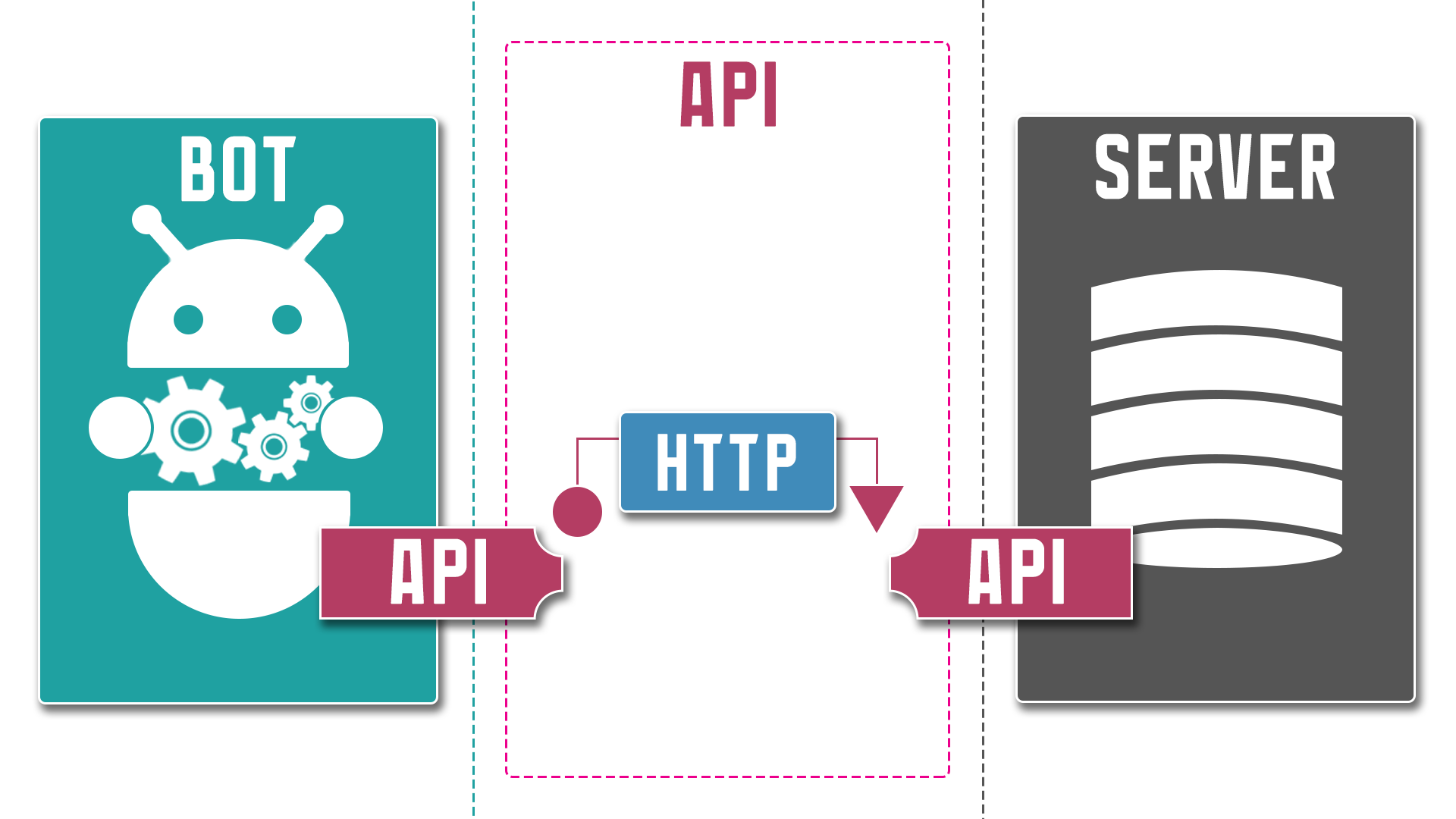
HTTP GET request (general) structure:
URI = Basic Link + Endpoints (Resources) + Parameters
Basic link:
http://domain.name/api/
Basic link contains - API address on website
Basic link + Endpoint:
http://domain.name/api/v1/users
http://domain.name/api/v1/products
Endpoint contains - Version and Resource you calling
Basic link + Endpoint + Parameters:
http://domain.name/api/v1/users?user=id&data=address
http://domain.name/api/v1/products?product=id&data=amount
Parameters containing - info on particular data you requesting from Resource.
API Response
It is a reply (Response) from Server of project or service to your Request.
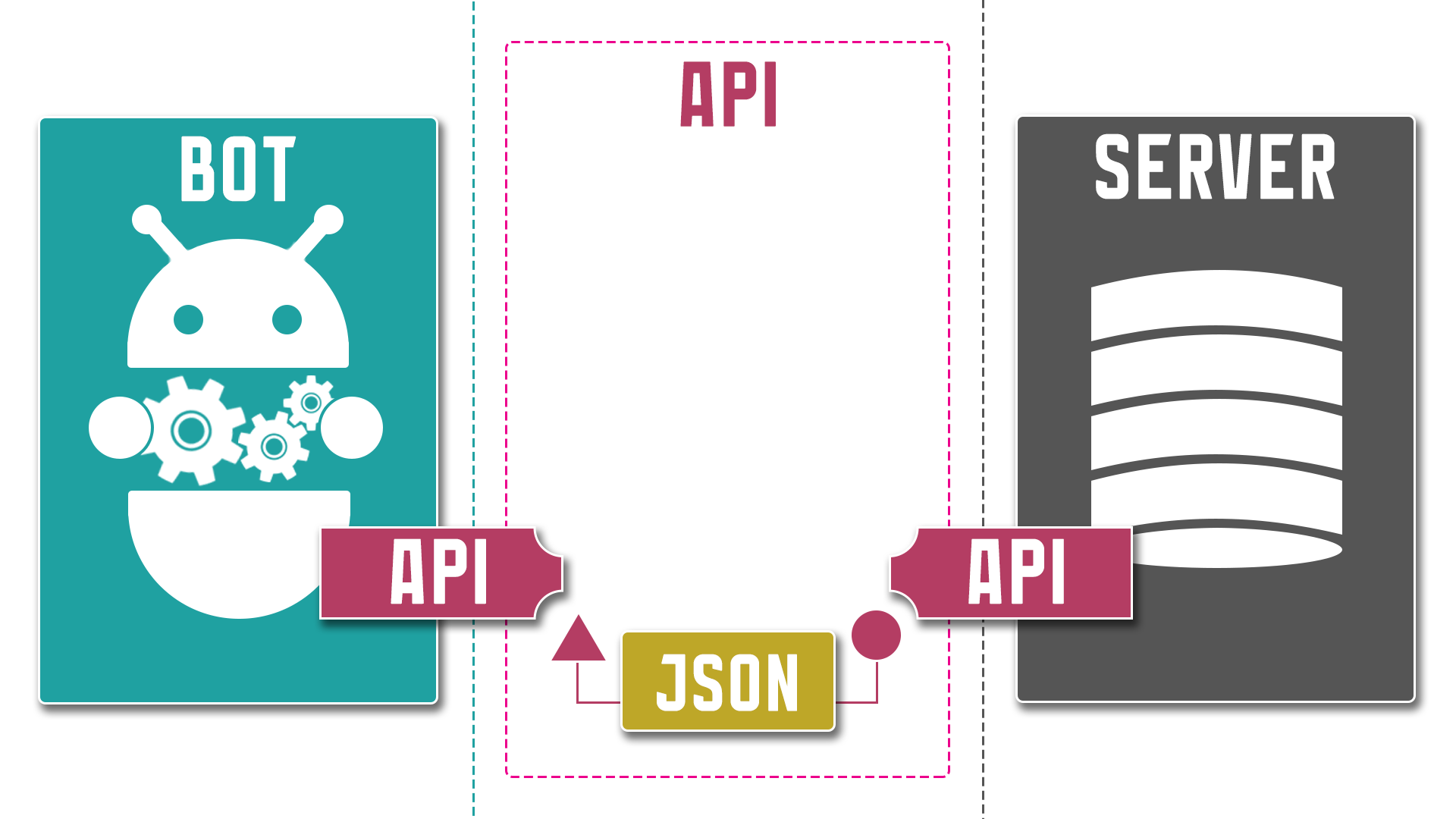
API responses can be different depending on the nature of the request or the information that needs to be returned.
Response body - may contain items like:
- the requested data
- an acknowledgment that a resource was created or updated
- an error message
- images
- text (common formats for text returned in the response body are JSON, XML, HTML, YAML, and plain text).
Most of the responses you will receive in a JSON format so let's get familiar with the basics of it.
❖ JSON format
JSON (JavaScript Object Notation) is an open standard, human-readable, text-based interchange format for storing, transmitting and representing structured data objects, consisting of Name:Value pairs Objects and Arrays.
Despite the fact that this storage format was initially created for JavaScript, it turned out to be so convenient that today it is used in other systems - in particular for transferring data via API, regardless of the programming language in which the project itself was created.
JSON file structure (syntax)
In its most general form, JSON is a "Key:Value" format, separated by commas.
The Key must be a «String» type, and the Value can be of any of the following types:
- Number
- String
- Boolean
- Array
- Object
- null
The purpose of this guide is not to teach you how to WRITE correct JSON files, but rather how to READ them - this will allow you to correctly identify the ENTITIES present, which, in turn, will make it easier for you to refer to the data you receiving from APIs.
Basically JSON file consists of 2 entities - OBJECTS and ARRAYS - mixed in various combinations.
All you need, to work with its data, is being able to clearly identify those TWO ENTITIES (no matter how they look in particular file), so you can use the CORRECT SYNTAX to obtain the data from inside those entities.
OBJECT
An OBJECT is an UNORDERED set of Key:Value pairs, enclosed in curly brackets "{...}".
The order of the Key:Value pair is irrelevant.
Objects can contain numbers of Key:Value Properties, other Objects and Arrays.
Each property of an Object has its own NAME (Key) and being referred by this Name.
Object are used to store any scattered data.
ARRAY
An ARRAY is an ORDERED set of Values, enclosed in square brackets "[...]".
The order of the Values is important.
Arrays contain a list of similar elements, other Objects and Arrays.
Each Property of an Array has its own INDEX NUMBER (as Key) and being referred by this number.
Arrays are used to store rather homogeneous data.
Let's take look at the main ENTITIES and Attributes (Properties - represented by Keys and Values) that are present in the structure of the following JSON example:
{
"firstName": "John",
"lastName": "Connor",
"dob": "28-02-1985",
"age": 15,
"married": false,
"driverLicence" null,
"address": {
    "street": "Valerio Street",
    "city": "Winnetka",
},
"hobbies" ["games", "bike", "hack"],
"friends": [
    {
    "firstName": "Bob",
    "age": 30,
    },
    {
    "firstName": "Tim",
    "age": 14,
    }
]
}
The JSON from the example above has a number or Attributes:
1. «firstName» «lastName» and other - is a list (so called "Dictionary") of simple Properties.
2. «address» - is another "nested" Object that containing its own Properties.
3. «hobbies» - is a simple array.
4. «friends» - is an Array that containing Objects with its own Properties.
Whenever you Request any data from the external API you will get similar structure JSON.
Information on how to refer to the Properties each particular Entity (Object or Array) see in the following «Working with API modules» manual.