
@MenuBuilderBot's Markdown (.md) knowledge base for LLMs and AI
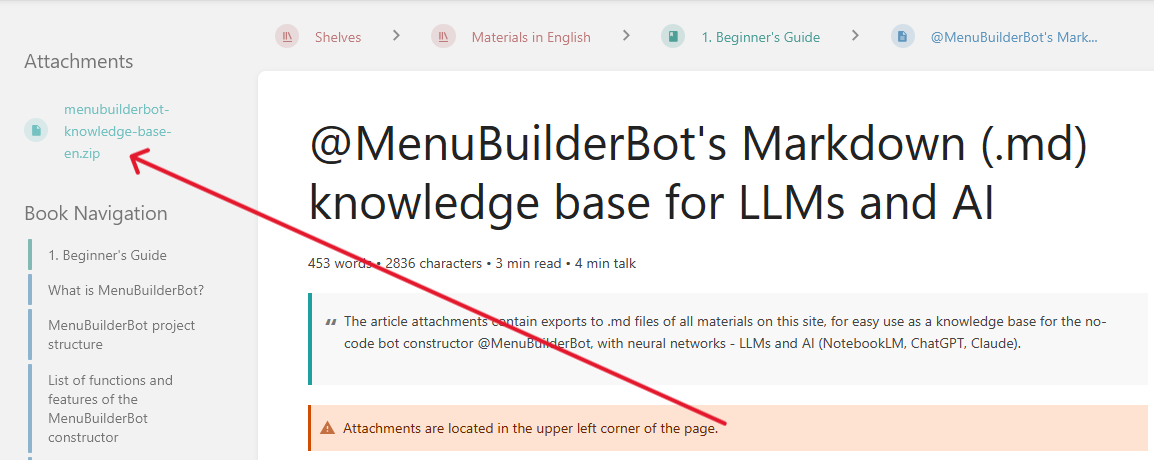
The article attachments contain exports to .md files of all materials on this site, for easy use as a knowledge base for the no-code bot constructor @MenuBuilderBot, with neural networks - LLMs and AI (NotebookLM, ChatGPT, Claude).
Attachments are located in the upper left corner of the page./
Update: 29.10.2026
How to use these materials AI:
For working with this materials, the specialized tools for working with documents, such as NotebookLM, are best suited.
NotebookLM from Google is FREE and designed specifically for working with reference books and knowledge bases.
Go to https://notebooklm.google, create a new notebook, and upload the downloaded .md files.
Below are some example prompts for LLMs. You can copy any of them and send them to the AI (along with the downloaded files), or create your own based on them. Upload the desired .md file (or ZIP archive) to your neural network and use the corresponding prompt.
Prompt option 1:
«Hello! You are the technical support expert for the Telegram bot constructor @MenuBuilderBot. All official documentation has already been uploaded to this notebook as sources.
Rules of work:
1. Answer my questions strictly based on the materials from the uploaded sources.
2. Always include inline citations (numbers in your answers) so I can click and check which section of the documentation the answer is taken from.
3. If the sources don't answer my question, simply say: "The documentation provided by @MenuBuilderBot doesn't contain information on this regard." Don't invent features that do not exist (you can offer creation of new custom functionality based on existing abilities, though, the a way it it done in LifeHack section.).If you understand everything, confirm your readiness and create a short guide to the topics loaded into this notebook.»
Prompt option 2:
«Hi! I've uploaded the .md file(s) with the official documentation for the Telegram bot constructor @MenuBuilderBot.
Your task is to act as a professional technical support and expert on this constructor.
Rules:
1. Carefully study the structure and sections of the attached files before answering.
2. Answer my questions strictly based on the information in these materials.
3. If the materials don't provide a precise answer to my question, state this directly and don't invent (or hallucinate) functions that aren't in the constructor (you can offer creation of new custom functionality based on existing abilities, though, the a way it it done in LifeHack section.).
4. Use Markdown formatting and lists to make your answers easy to read.If everything is clear, confirm your readiness and briefly list the main topics and modules covered in the materials.»
All files are in the attachments of this article (see the upper left corner of the page).